
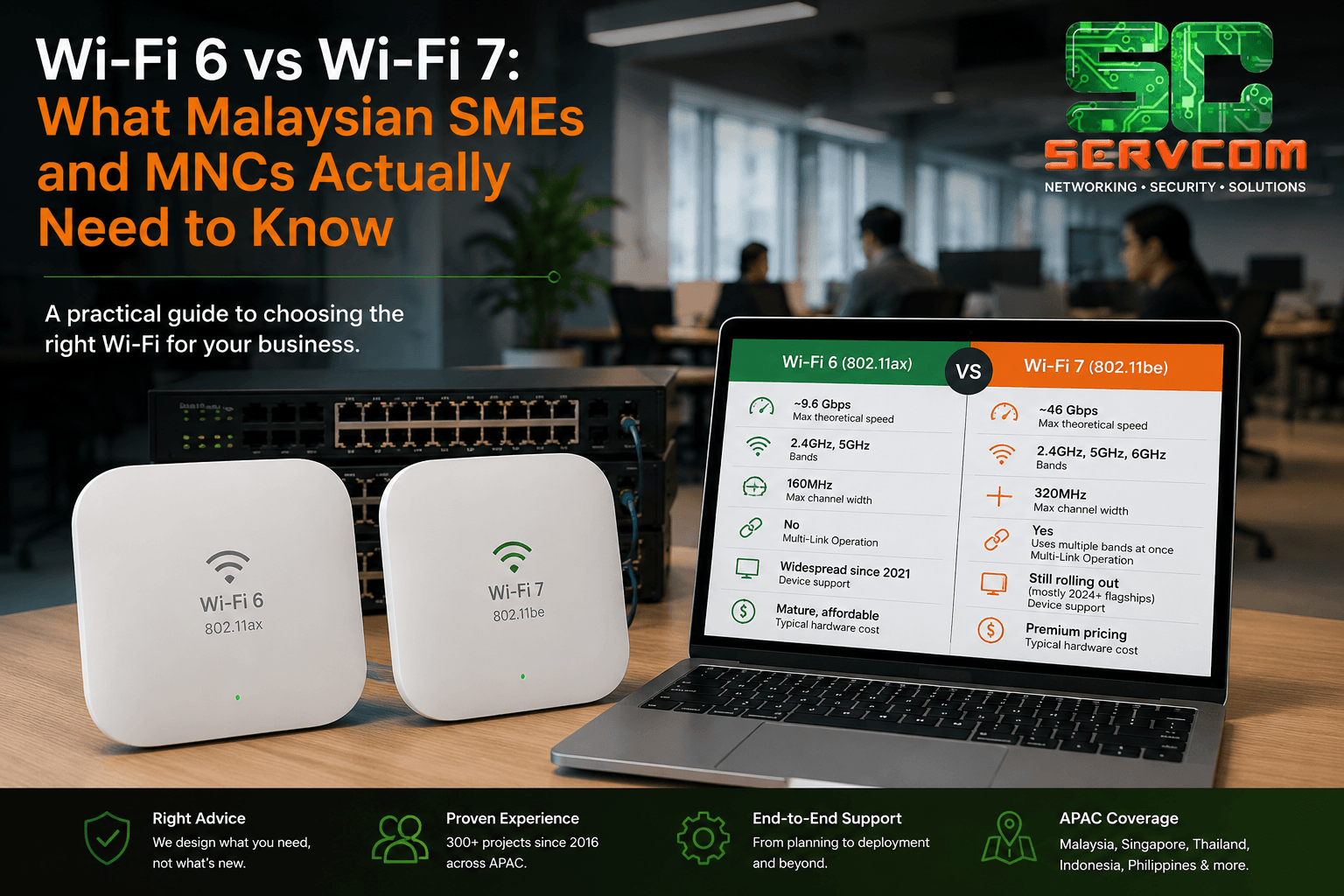
Wi-Fi 6 vs Wi-Fi 7 — it's the question we keep getting from clients planning an office refresh. If your network feels slower than it should, or you're due for a hardware upgrade, here's a straight answer, without the marketing spin.
Quick Answer
When comparing Wi-Fi 6 vs Wi-Fi 7, most Malaysian SMEs and MNCs don't need Wi-Fi 7 yet. Wi-Fi 6 already outperforms what most office internet plans can deliver, and Wi-Fi 7 only pays off once both your network and your devices (laptops, phones, IoT) support it — which is still 1–2 years away for most organisations. The exception is businesses with gigabit-plus fibre, heavy local file transfer needs, or dense, high-device-count offices.
Wi-Fi 6 vs Wi-Fi 7: Side-by-Side Comparison
Both standards are certified by the Wi-Fi Alliance, the industry body that governs Wi-Fi certification. Here's how they compare:
| Feature | Wi-Fi 6 (802.11ax) | Wi-Fi 7 (802.11be) |
|---|---|---|
| Max theoretical speed | ~9.6 Gbps | ~46 Gbps |
| Bands | 2.4GHz, 5GHz | 2.4GHz, 5GHz, 6GHz |
| Max channel width | 160MHz | 320MHz |
| Multi-Link Operation | No | Yes — uses multiple bands at once |
| Device support | Widespread since 2021 | Still rolling out (mostly 2024+ flagships) |
| Typical hardware cost | Mature, affordable | Premium pricing |
When Wi-Fi 6 Is the Right Call
- Your team mainly browses, video calls, and uses cloud apps (Google Workspace, Microsoft 365, CRM tools)
- Your internet plan is under 1 Gbps — your ISP speed is the bottleneck, not your Wi-Fi
- You want proven, cost-effective hardware with wide device compatibility
- Budget matters more than future-proofing
When Wi-Fi 7 Is Worth the Investment
- You've got gigabit-plus fibre and want the network to keep up
- You run heavy local transfers — large file servers, NAS, multi-camera video production, CAD/BIM work
- You have a dense office (open floor plans, co-working spaces, high device-per-person counts) needing better performance under load
- Latency-sensitive applications matter (VoIP quality, real-time collaboration tools, industrial IoT)
The Catch Most Businesses Miss
Upgrading your access points to Wi-Fi 7 doesn't automatically speed up your network. Your laptops, phones, and IoT devices need Wi-Fi 7 radios too — otherwise they'll simply connect at Wi-Fi 6 (or lower) speeds. For most Malaysian offices today, a full Wi-Fi 7 rollout only pays off once your device fleet catches up.
A more practical path for many SMEs: deploy Wi-Fi 6E or Wi-Fi 6 enterprise access points now, with a network design that's easy to upgrade to Wi-Fi 7 later without ripping out cabling or switches.
Budgeting and Planning Your Upgrade
When weighing Wi-Fi 6 vs Wi-Fi 7 on cost, remember that the access points are usually only part of the budget. A Wi-Fi 7 rollout often also needs switches with multi-gigabit (2.5G or 5G) ports and enough PoE power budget, because the newer access points draw more power and can push more traffic than a 1 Gbps uplink can carry. If your switches are older, factor them into the budget from the start.
Cabling matters too. Cat6 or Cat6A runs are recommended for multi-gigabit uplinks, and older Cat5e cabling over longer distances can limit what the new access points actually deliver. A quick cabling check before ordering hardware avoids paying for speed your infrastructure cannot carry.
For most offices, a phased approach works best: upgrade the busiest areas first, such as meeting rooms, open-plan floors and training rooms, and keep the existing Wi-Fi 6 access points in quieter zones until the next refresh cycle. This also spreads the cost across two budget periods instead of one, which is easier to approve and less disruptive for staff. A proper WiFi site survey tells you exactly where the extra capacity is needed.
Frequently Asked Questions
Is Wi-Fi 7 worth it for a small office in Malaysia?
For most small offices, not yet. Wi-Fi 7's benefits only show up with gigabit-plus internet and Wi-Fi 7-capable devices, which are still uncommon in most Malaysian workplaces. Wi-Fi 6 or Wi-Fi 6E covers typical office needs comfortably.
What's the main difference between Wi-Fi 6 and Wi-Fi 7?
Wi-Fi 7 adds a new 6GHz band, doubles the maximum channel width to 320MHz, and introduces Multi-Link Operation, which lets a device use multiple bands at the same time for lower latency and steadier connections. Wi-Fi 6 tops out at 160MHz channels on the 2.4GHz and 5GHz bands only.
Do I need to replace all my devices to use Wi-Fi 7?
You don't need to replace them immediately, but any device without a Wi-Fi 7 radio will connect at Wi-Fi 6 speeds or lower, regardless of your access points. Full Wi-Fi 7 performance requires Wi-Fi 7 hardware on both ends of the connection.
What should I check before upgrading my office Wi-Fi?
Three things: what's actually bottlenecking your network today (Wi-Fi, internet plan, switches, or cabling), how dense your office is in terms of devices per person, and where you are in your hardware refresh cycle. A short network assessment usually answers this more reliably than a spec sheet comparison.
How long will Wi-Fi 6 access points remain a good investment?
Business-grade Wi-Fi 6 and Wi-Fi 6E access points typically stay in service for five to seven years, and they will continue to be supported by vendors for years to come. If you installed Wi-Fi 6 recently and it is performing well, there is usually no need to replace it early.
Can Wi-Fi 6 and Wi-Fi 7 access points run on the same network?
Yes. Running Wi-Fi 6 vs Wi-Fi 7 side by side is common during a phased upgrade. Most vendors let you manage both generations from the same controller or cloud dashboard, and client devices simply connect to whichever access point offers the best signal. This makes a gradual, area-by-area migration practical.
Our Recommendation
Deciding between Wi-Fi 6 vs Wi-Fi 7 comes down to your actual usage, not the spec sheet. Before spending on new access points, it's worth checking what's actually bottlenecking your network, how dense your office is, and where you are in your hardware refresh cycle. A short network assessment usually answers these better than any spec sheet comparison.
If you're planning an office move, expansion, or network refresh and want a second opinion on what actually makes sense for your setup, we're happy to help.